

Overview
Tag Insight allows you to export your tracking plans, making it easy to share documentation with stakeholders, maintain version control, and integrate with other tools.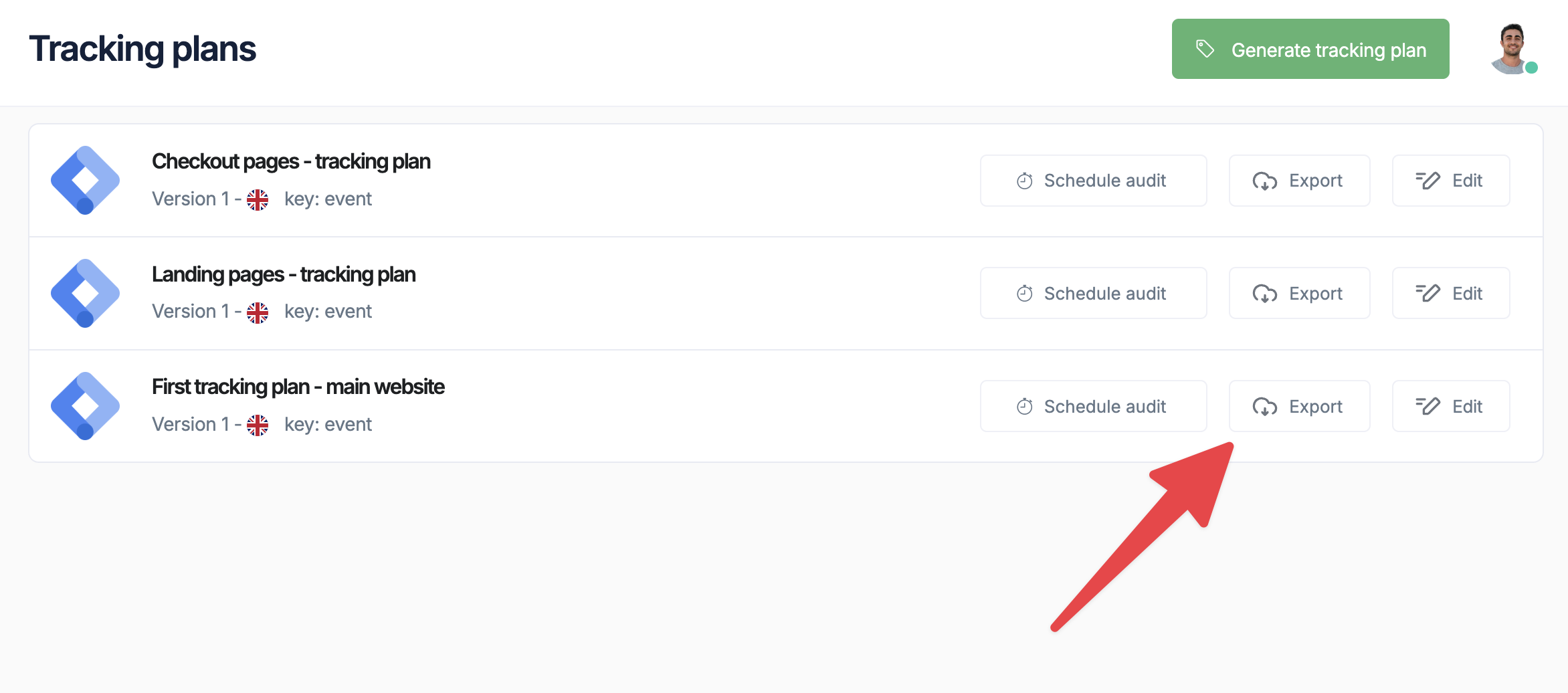
Export functionality helps maintain a single source of truth for your tracking implementation across technical and business teams.
Available export formats
Supported format
Excel (.xlsx)
Comprehensive spreadsheet with all events, variables, and validation rules in a structured format that’s easy to share and review with stakeholders
Tag Insight currently exports tracking plans in Excel format, which provides the most flexibility for sharing and editing documentation across teams.
Exporting tracking plans
Quick export
1
Navigate to tracking plan
Go to My tracking plans and select the plan to export
2
Click export button
Find the export icon in the top toolbar
3
Choose format
Select your desired export format
4
Configure options
Set export preferences (see options below)
5
Download file
Click Export to generate and download
Export options
Configure what to include in your export:Excel export details
Worksheet structure
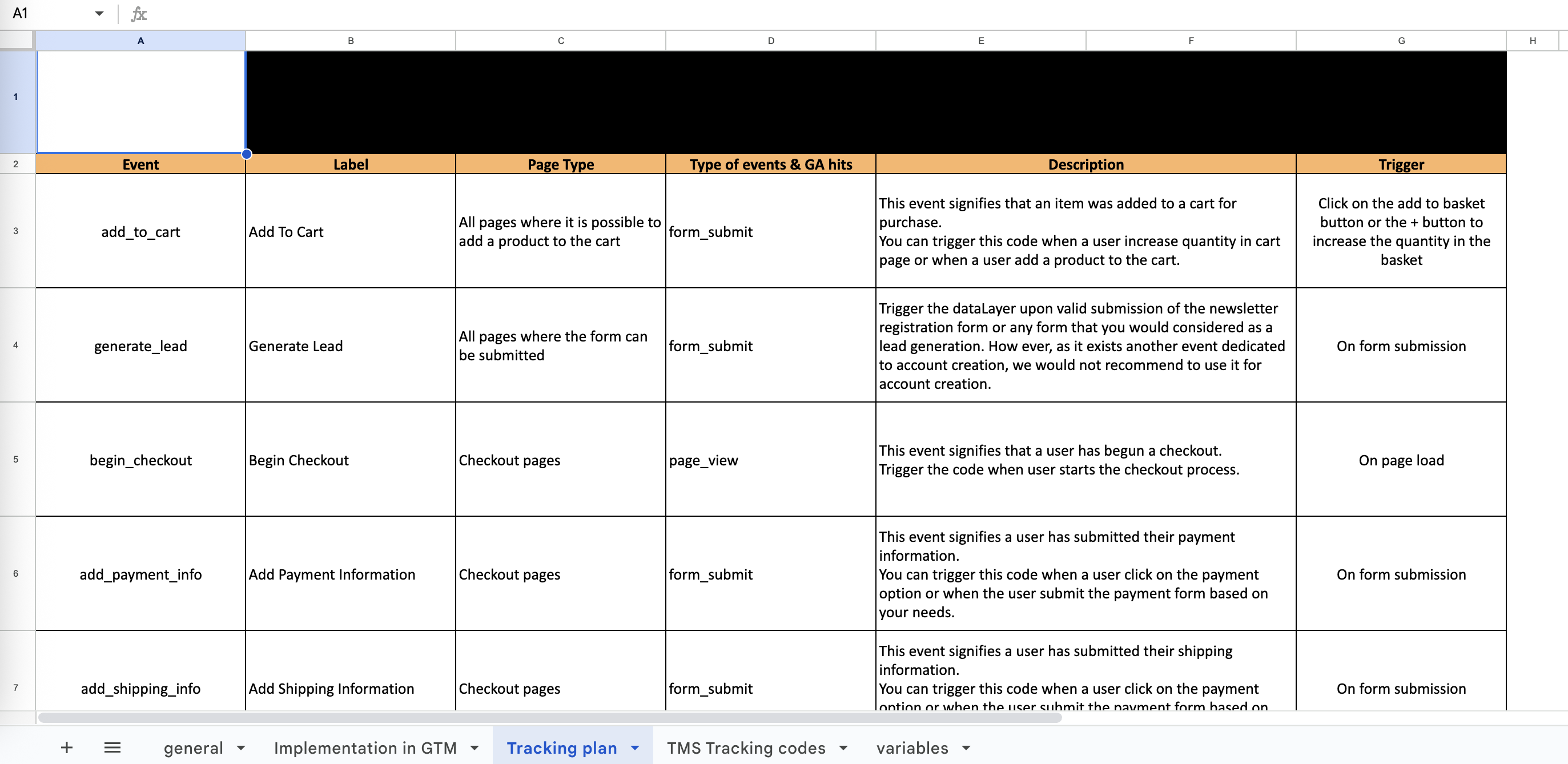
The Excel export contains multiple worksheets:- Summary
- Events
- Variables
- Validation
Overview worksheet includes:
- Tracking plan metadata
- Statistics (total events, variables)
- Last modified date
- Implementation status
Excel template example
PDF documentation
Professional reports
Generate formatted PDF documentation for:- Stakeholder Reviews: Clean, readable format
- Compliance Documentation: Include validation rules
- Implementation Guides: Technical specifications
- Change Management: Version history included
PDF options
1
Select template
Choose from:
- Technical Documentation
- Business Overview
- Implementation Guide
- Audit Report
2
Customize branding
Add your company logo and colors
3
Set detail level
- Executive Summary
- Standard Documentation
- Complete Technical Specs
4
Generate PDF
Processing typically takes 10-30 seconds
Automated exports
Scheduled exports
Set up automatic documentation updates:Email notifications
Get notified when scheduled exports are ready:- Export completion notifications
- Download links sent via email
- Expiration reminders
Import/export workflow
Maintaining consistency
1
Export master plan
Export from production project
2
Modify offline
Make changes in Excel or JSON
3
Validate changes
Use Tag Insight’s validation before import
4
Import updates
Upload modified plan back to Tag Insight
5
Test implementation
Verify changes work correctly
Version control best practices
Sharing documentation
Access control
Control who can export documentation:- Read-Only Users: Can export current version
- Editors: Can export with full history
- Admins: Can export all formats and configure automation
Secure sharing
Best practices for sharing:- Use company-approved file sharing
- Set expiration dates on shared links
- Password-protect sensitive exports
- Track who receives documentation
Integration examples
Confluence integration
Upload exported documentation directly to Confluence pages for team collaboration.Jira integration
Link tracking requirements to development tickets:Slack notifications
Export templates
Custom templates
Create reusable export templates:Industry templates
Pre-built templates for common use cases:GA4 migration
Export format matching GA4 structure
Privacy audit
Focus on PII and consent tracking
Developer docs
Technical implementation details
QA checklist
Testing scenarios and validation
Troubleshooting exports
Export taking too long
Export taking too long
- Large plans may take 1-2 minutes
- Consider filtering to reduce size
- Use JSON for faster exports
Missing data in export
Missing data in export
- Check export options selected
- Verify user permissions
- Some fields may be hidden based on role
Format not available
Format not available
- PDF requires Pro plan or higher
- API access needs Enterprise plan
- Check your subscription level
Next steps
Import methods
Import tracking plans back
API documentation
Automate exports via API
Version control
Manage tracking plan versions
Collaboration
Share documentation effectively