> ## Documentation Index
> Fetch the complete documentation index at: https://docs.taginsight.com/llms.txt
> Use this file to discover all available pages before exploring further.
# Core concepts
> Understand the fundamental concepts of Tag Insight
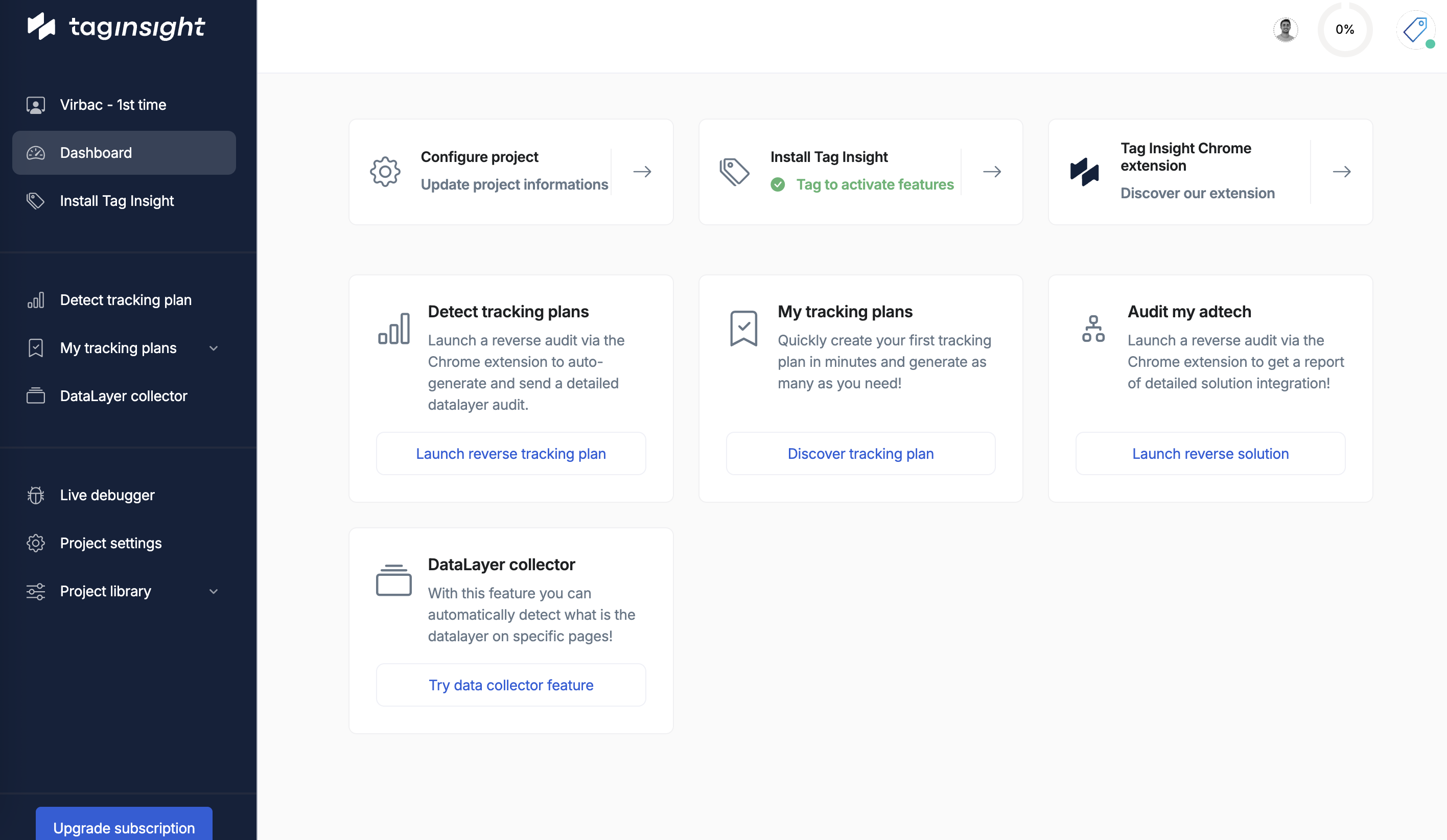
## Overview
Before diving into Tag Insight, it's important to understand the core concepts that make our platform unique and powerful.
 ## Key differentiators
### Real user traffic vs. robots
Unlike traditional monitoring solutions that use robots or crawlers, Tag Insight uses actual user traffic to monitor your tracking implementation.
**Traditional Approach (Robots)**:
* Requires complex scenario setup
* Limited coverage of user journeys
* Can't test all edge cases
* Time-consuming configuration
**Tag Insight Approach (Real Traffic)**:
* Monitors all user interactions automatically
* Covers every possible user journey
* Detects issues in real-world scenarios
* Zero configuration for user paths
## Core components
### 1. Organizations
An organization is the top-level container in Tag Insight. It represents your company or business unit.
## Key differentiators
### Real user traffic vs. robots
Unlike traditional monitoring solutions that use robots or crawlers, Tag Insight uses actual user traffic to monitor your tracking implementation.
**Traditional Approach (Robots)**:
* Requires complex scenario setup
* Limited coverage of user journeys
* Can't test all edge cases
* Time-consuming configuration
**Tag Insight Approach (Real Traffic)**:
* Monitors all user interactions automatically
* Covers every possible user journey
* Detects issues in real-world scenarios
* Zero configuration for user paths
## Core components
### 1. Organizations
An organization is the top-level container in Tag Insight. It represents your company or business unit.
 **Key Features**:
* Centralized user management
* Shared event libraries
* Cross-project governance
* Unified billing
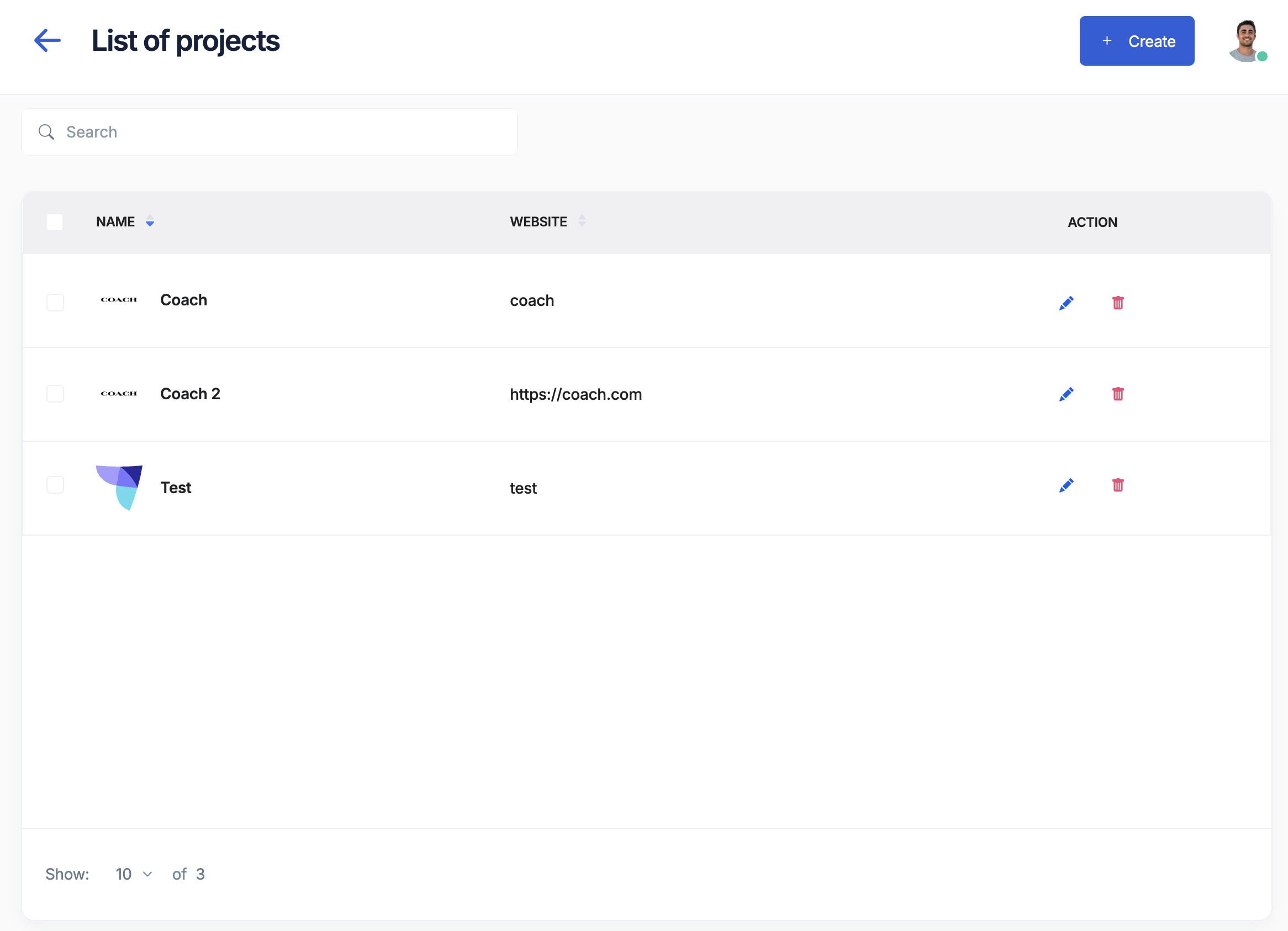
### 2. Projects
Projects represent individual tracking implementations, typically corresponding to:
* Different websites or applications
* Separate environments (staging, production)
* Distinct brands or business units
Remember: One project = One pixel = One tracking implementation
### 3. Tracking Plans
A tracking plan is your source of truth for what data should be collected. It defines:
**Key Features**:
* Centralized user management
* Shared event libraries
* Cross-project governance
* Unified billing
### 2. Projects
Projects represent individual tracking implementations, typically corresponding to:
* Different websites or applications
* Separate environments (staging, production)
* Distinct brands or business units
Remember: One project = One pixel = One tracking implementation
### 3. Tracking Plans
A tracking plan is your source of truth for what data should be collected. It defines:
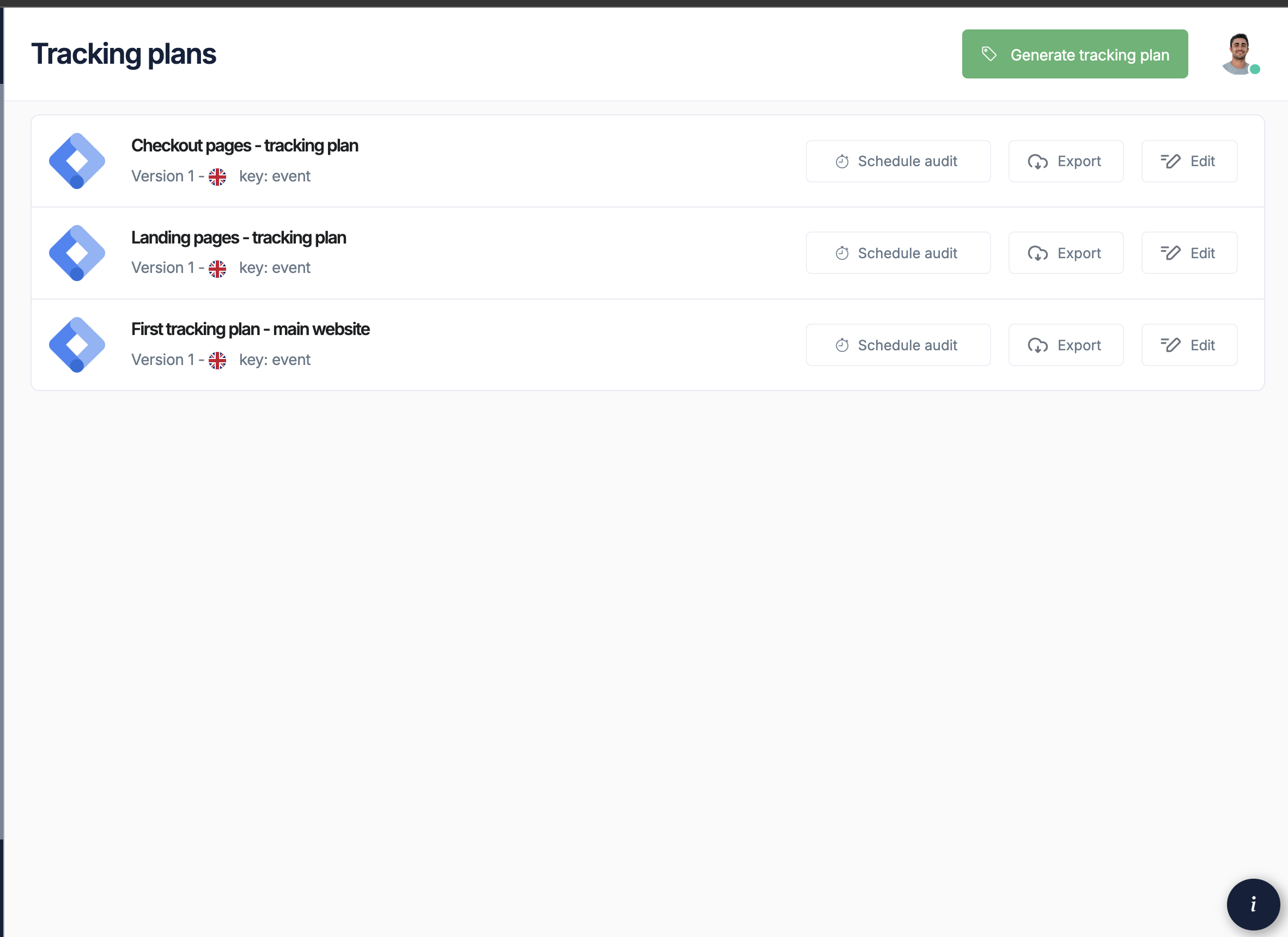 * **Events**: User interactions to track (page views, clicks, purchases)
* **Variables**: Data points within each event
* **Validation Rules**: Expected data types and values
* **Requirements**: Whether variables are required or optional
### 4. The Tag Insight Pixel
The pixel is a lightweight JavaScript tag that:
* Observes data layer changes in real-time
* Captures all tracking events
* Sends data to Tag Insight for analysis
* Has zero impact on site performance
```javascript GTM Implementation theme={null}
// Installed via Google Tag Manager
```
```javascript Direct Implementation theme={null}
// Installed directly on page
```
### 5. Audits
Audits are automated tests that compare your actual tracking implementation against your tracking plan.
**Audit Types**:
* **Scheduled Audits**: Run at specific times (hourly, daily, weekly)
* **Continuous Audits**: Real-time monitoring of all traffic
* **On-Demand Audits**: Manual triggers for testing
**What Audits Detect**:
* Missing variables
* Incorrect data types
* Empty values
* Malformed data structures
* Unexpected changes
### 6. Alerts
Alerts notify you when audits detect issues:
* **Email Notifications**: Instant alerts to your team
* **Severity Levels**: Critical, warning, or informational
* **Smart Grouping**: Similar issues grouped together
* **Actionable Reports**: Direct links to affected pages
## Data Layer Concepts
### Understanding data layers
A data layer is a JavaScript object that contains all the tracking information about a page or user interaction.
```javascript theme={null}
// Example GTM data layer
dataLayer.push({
'event': 'purchase',
'ecommerce': {
'transaction_id': '12345',
'value': 25.42,
'currency': 'EUR',
'items': [{
'item_id': 'SKU123',
'item_name': 'Product Name',
'price': 25.42,
'quantity': 1
}]
}
});
```
### Variable types
Tag Insight supports all standard data types:
Text values like product names, page titles, or user IDs
```javascript theme={null}
'product_name': 'Blue T-Shirt'
```
Numeric values like prices, quantities, or scores
```javascript theme={null}
'price': 29.99
```
True/false values for binary states
```javascript theme={null}
'is_logged_in': true
```
Nested structures for complex data
```javascript theme={null}
'user': {
'id': '123',
'type': 'premium'
}
```
Lists of items, like products in a cart
```javascript theme={null}
'products': ['item1', 'item2', 'item3']
```
## Workflow overview
Create or import your tracking plan to establish what should be tracked
Add the Tag Insight pixel to start collecting data
Set up audits and alerts based on your needs
Get notified immediately when tracking issues occur
Use detailed reports to quickly identify and resolve problems
## Privacy and compliance
Tag Insight is designed with privacy in mind:
* **No Cookies**: The pixel doesn't use cookies
* **No PII Collection**: Personal data is anonymized
* **Consent-Exempt**: Classified as essential for website operation
* **GDPR Compliant**: Fully compliant with privacy regulations
## Best practices
### Project organization
1. **Separate by Environment**: Create different projects for staging and production
2. **Use Clear Naming**: Include environment and property in project names
3. **Document Everything**: Use descriptions and documentation features
### Tracking plan management
1. **Start Simple**: Begin with critical events and expand gradually
2. **Be Specific**: Define clear validation rules for each variable
3. **Version Control**: Track changes to your tracking plan over time
4. **Regular Reviews**: Audit your tracking plan quarterly
### Alert configuration
1. **Prioritize Critical Events**: Focus alerts on business-critical tracking
2. **Avoid Alert Fatigue**: Set appropriate thresholds
3. **Route to Right People**: Ensure alerts go to those who can act
## Next steps
Now that you understand the core concepts, you're ready to:
Follow our quick start guide to get up and running
Deep dive into creating and managing tracking plans
* **Events**: User interactions to track (page views, clicks, purchases)
* **Variables**: Data points within each event
* **Validation Rules**: Expected data types and values
* **Requirements**: Whether variables are required or optional
### 4. The Tag Insight Pixel
The pixel is a lightweight JavaScript tag that:
* Observes data layer changes in real-time
* Captures all tracking events
* Sends data to Tag Insight for analysis
* Has zero impact on site performance
```javascript GTM Implementation theme={null}
// Installed via Google Tag Manager
```
```javascript Direct Implementation theme={null}
// Installed directly on page
```
### 5. Audits
Audits are automated tests that compare your actual tracking implementation against your tracking plan.
**Audit Types**:
* **Scheduled Audits**: Run at specific times (hourly, daily, weekly)
* **Continuous Audits**: Real-time monitoring of all traffic
* **On-Demand Audits**: Manual triggers for testing
**What Audits Detect**:
* Missing variables
* Incorrect data types
* Empty values
* Malformed data structures
* Unexpected changes
### 6. Alerts
Alerts notify you when audits detect issues:
* **Email Notifications**: Instant alerts to your team
* **Severity Levels**: Critical, warning, or informational
* **Smart Grouping**: Similar issues grouped together
* **Actionable Reports**: Direct links to affected pages
## Data Layer Concepts
### Understanding data layers
A data layer is a JavaScript object that contains all the tracking information about a page or user interaction.
```javascript theme={null}
// Example GTM data layer
dataLayer.push({
'event': 'purchase',
'ecommerce': {
'transaction_id': '12345',
'value': 25.42,
'currency': 'EUR',
'items': [{
'item_id': 'SKU123',
'item_name': 'Product Name',
'price': 25.42,
'quantity': 1
}]
}
});
```
### Variable types
Tag Insight supports all standard data types:
Text values like product names, page titles, or user IDs
```javascript theme={null}
'product_name': 'Blue T-Shirt'
```
Numeric values like prices, quantities, or scores
```javascript theme={null}
'price': 29.99
```
True/false values for binary states
```javascript theme={null}
'is_logged_in': true
```
Nested structures for complex data
```javascript theme={null}
'user': {
'id': '123',
'type': 'premium'
}
```
Lists of items, like products in a cart
```javascript theme={null}
'products': ['item1', 'item2', 'item3']
```
## Workflow overview
Create or import your tracking plan to establish what should be tracked
Add the Tag Insight pixel to start collecting data
Set up audits and alerts based on your needs
Get notified immediately when tracking issues occur
Use detailed reports to quickly identify and resolve problems
## Privacy and compliance
Tag Insight is designed with privacy in mind:
* **No Cookies**: The pixel doesn't use cookies
* **No PII Collection**: Personal data is anonymized
* **Consent-Exempt**: Classified as essential for website operation
* **GDPR Compliant**: Fully compliant with privacy regulations
## Best practices
### Project organization
1. **Separate by Environment**: Create different projects for staging and production
2. **Use Clear Naming**: Include environment and property in project names
3. **Document Everything**: Use descriptions and documentation features
### Tracking plan management
1. **Start Simple**: Begin with critical events and expand gradually
2. **Be Specific**: Define clear validation rules for each variable
3. **Version Control**: Track changes to your tracking plan over time
4. **Regular Reviews**: Audit your tracking plan quarterly
### Alert configuration
1. **Prioritize Critical Events**: Focus alerts on business-critical tracking
2. **Avoid Alert Fatigue**: Set appropriate thresholds
3. **Route to Right People**: Ensure alerts go to those who can act
## Next steps
Now that you understand the core concepts, you're ready to:
Follow our quick start guide to get up and running
Deep dive into creating and managing tracking plans